Public Demo · Building
Build and arrange your base
Open build mode, choose the piece or station, and read its Requirements before placing it. Use the placement modes to fit your layout, and keep a Crystal Pillar central to the base. Some stations also require an indoor location.
Updated 2026-10-25
On this page
Start with the selected object’s requirements
Build mode contains both structural pieces and useful facilities. Select the object you want, then read its name and requirements before committing materials.
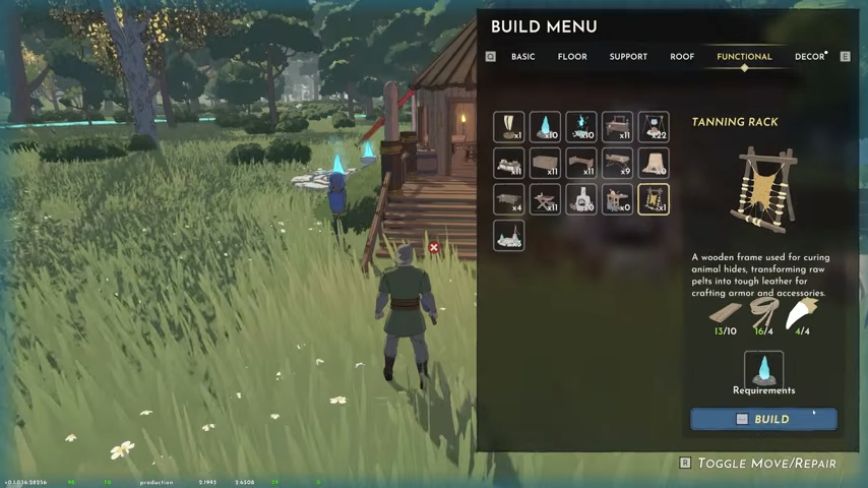
The example selects a Tanning Rack. Use your current menu to check the facility you actually need: its recipe, available materials and conditions can differ from this example. A Repair Station is the facility used for equipment repairs.
Choose how the piece fits
Stormforge supports basic snapping, advanced snapping and free placement. Snapping helps pieces line up; free placement lets you arrange and overlap pieces more freely.
Pick the mode that fits the change you are making. For a station, also leave yourself an approach to its interaction. For an existing house, work around the room’s shape before adding more structures.
You can start a base piece by piece or move into an abandoned village house. The Demo’s current building-set list includes Softwood, Stone and Corrupted Stone.
If a station will not fit or work
Check the selected station
Confirm its exact name and current build requirements. A nearby Wood Workbench and Repair Station have different jobs.
Look for an indoor requirement
Since v0.1.036.28316, build menus display indoor requirements for stations that need them. Check that condition before changing the rest of the base.
Use the station’s interaction
After placing a Repair Station, approach until Repair All Items appears. The named interaction helps confirm you are using the intended facility.
Arrange the base around its crystal
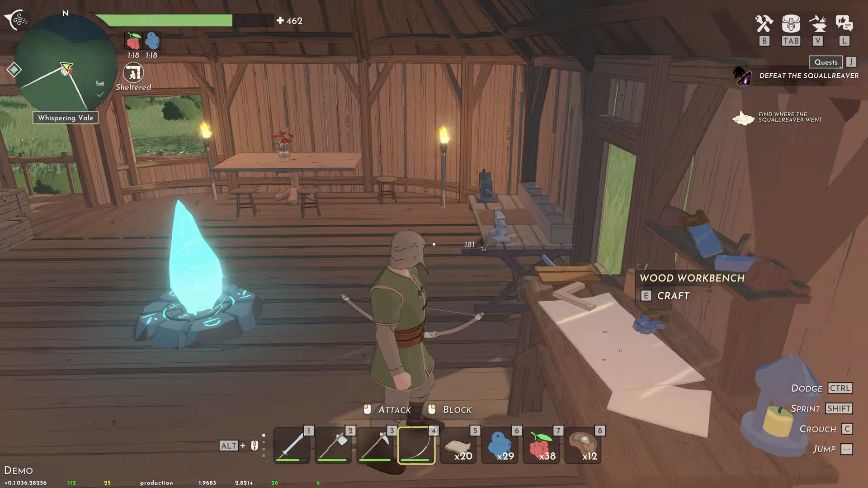
Build mode supports moving objects; furniture height control was added in a later Demo update. Use the controls shown by your current build when rearranging furniture.
Keep the Crystal Pillar at the heart of the base. It is involved in base protection and the reach of crafting from storage. After changing the layout, check these conditions separately: nearby storage for crafting, and an actual shield when a Chaos Storm warning appears.
Older reports about moving a crystal do not establish a universal current fault or a universal fix. Use the protection checks rather than assuming every indoor area is shielded.
Keep material plans within the Demo
Use the requirements in your selected recipe to decide what to gather. For the storm material Corrupted Rock, mine purple-veined rocks in corrupted areas and check its pickup name; the harvesting pictures show what to look for.
Copper routes have a Demo limit. The October 7 update removed copper and Blast runes from the Demo. A later update says Howling Woods trees require a copper axe. Do not plan a Demo workshop chain around older copper-unlock instructions.
That limit matters when comparing old videos with your current crafting menu. A material or facility appearing in older footage does not by itself establish a route to unlock it in the current Demo.