Public Demo · Storage
Sort materials and craft from storage
Use Quick Stack to sort carried items into matching chests. For crafting from storage, keep the material chests within your Crystal Pillar’s radius. Quick Stack prioritizes an open chest, then nearby chests from nearest to farthest.
Updated 2026-10-25
On this page
Find Quick Stack in the backpack
Quick Stack is the sorting action for returning materials to chests that already match those items. Use a consistent set of material chests so the matching rule has somewhere useful to put what you bring back.
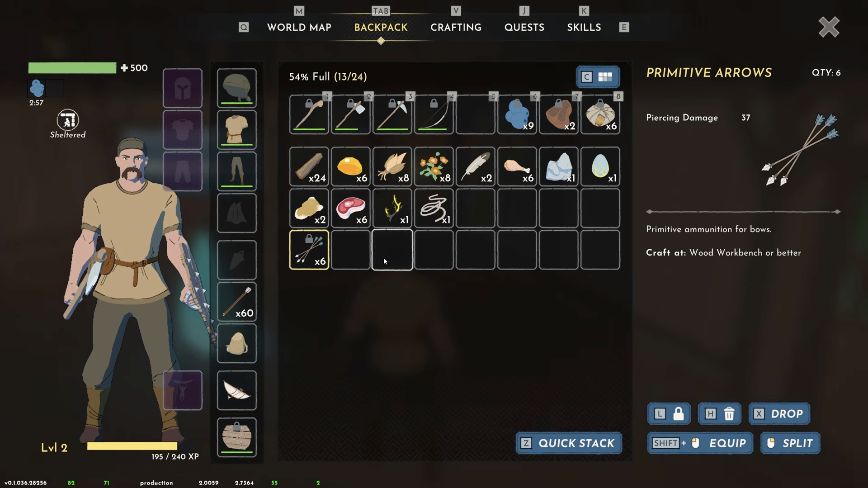
The keyboard hint belongs to this captured menu. Follow your current control binding when sorting; the important action name is Quick Stack.
Which chest gets the items?
The v0.1.036.28316 update gives the order:
The chest you have open
Quick Stack fills an open chest first.
Nearby chests, nearest first
It then continues through nearby chests, starting with the closest.
The official feature description specifies matching chests. Keep that condition in mind when an item remains in your backpack; the feature is not a rule for assigning every new item to an arbitrary empty box.
Keep crafting materials inside the crystal’s reach
The official crafting-from-storage rule allows you to craft straight from chests within your Crystal Pillar’s radius. Arrange those chests around the base where you prepare equipment and food.
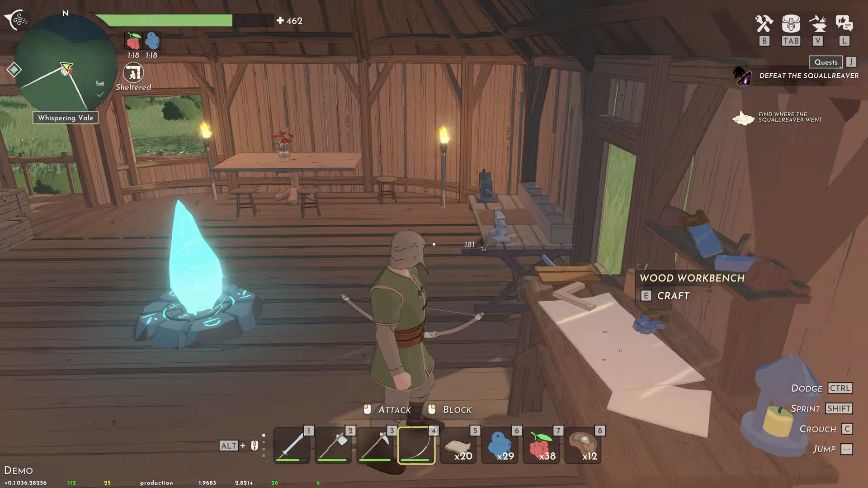
This reach condition is separate from the Quick Stack sorting order. Keep a crafting chest in range of the pillar rather than assuming materials in a distant base are available everywhere.
The official description gives no numerical radius here. Use the actual material availability in the selected recipe to check whether your current arrangement supplies what you need.
If materials still seem to be missing
| What you see | Check next |
|---|---|
| An item stays in the backpack after Quick Stack | Check for a matching chest and the nearby storage arrangement. |
| The recipe does not show enough material | Check the exact ingredient and quantity, then whether the relevant chest is within the pillar’s radius. |
| You are using a nearby facility, but the action looks wrong | Read its name. A Repair Station repairs equipment; a crafting station has its own recipes. |
After a gathering trip, sort materials before choosing the next recipe. This makes the base’s storage layout part of the preparation loop.