Public Demo · Exploration
Read your map and plan a return route
Navigate using your world’s map and named markers. A selected Portal marker has a Fast Travel action; Set Waypoint and Send Ping are separate map actions. Every new world has a generated layout, so another player’s coordinates are not a universal route.
Updated 2026-10-25
On this page
Orient yourself in your own world
Stormforge creates a new map for each world. Coastlines, distances and the relationship between locations can therefore differ from screenshots and other players’ routes.
Use names and quest targets to orient yourself. When planning a longer trip, identify the base you intend to return to and the relevant markers on your own map before leaving.
Read the label, then follow the relevant objective
The October 7 update linked quests and the map in both directions. Use the current quest’s target and map label together to check that you are pursuing the intended task.
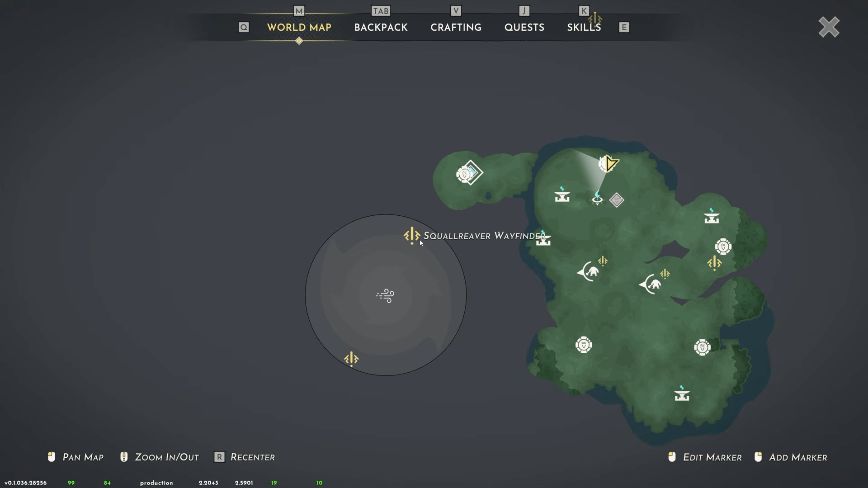
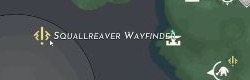
Whispering Vale watchtower devices point toward Squallreaver. The map label is part of that boss route, while the six seal fragments belong to a separate vault objective. Follow the boss-location guide for that specific task.
Identify the Portal map menu
The official fast-travel description says placed portals let you get back to base. On this map, selecting a Portal marker opens its actions.
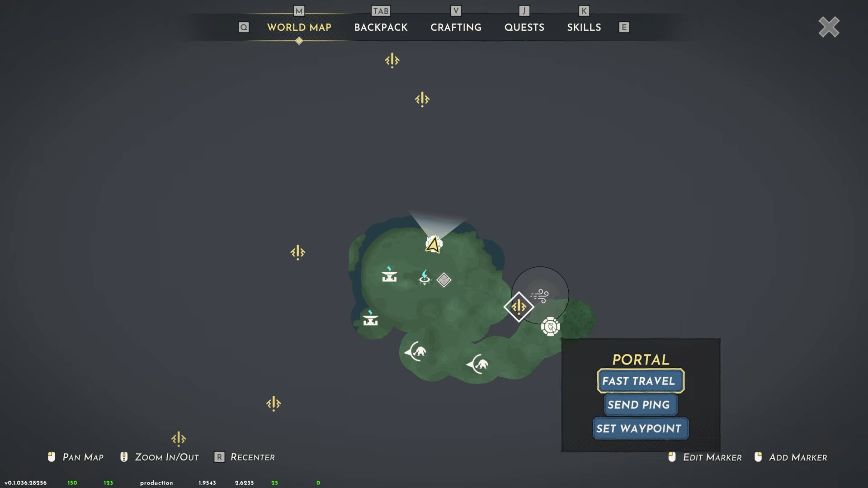
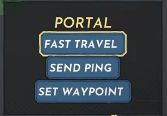
| Map action | Use it for |
|---|---|
| Fast Travel | The Portal’s travel action. Check that you have selected the intended Portal. |
| Set Waypoint | A navigation target on the map; selecting a waypoint is separate from using Fast Travel. |
| Send Ping | A map signal, useful when pointing out a selected location. |
The menu identifies the travel action. Portal construction requirements and pairing conditions still need to be read in your current game; this picture does not establish a universal recipe or a completed pairing sequence.
Check the current gliding controls
Gliding is part of Stormforge’s exploration and tornado-avoidance description. However, v0.1.036.28537 removed simple gliding mode.
Use your current control settings and on-screen prompts. Older instructions that specifically rely on simple mode may no longer apply. Gliding, a Portal’s Fast Travel action and a map waypoint are different systems; choose the one that fits the trip you are planning.